Free during launch — free for life.

Your best thinking,
caught before it's gone.
Not just voice memos. A private workspace where your recordings become transcripts, summaries, team threads, and timeline-ready exports for film and music — all on your iPhone, Mac, and Apple Watch.
On-device transcription with speaker labels. Your audio never leaves your phone.
No analytics. No third-party SDKs. No data brokers. iCloud-only sync, end to end.
Demo video coming soon ▶Your voice doesn't train anyone's model. Ever.
The only one that keeps your voice private
and helps you ship the work.
Based on each product's public terms of service and feature list as of 28 May 2026. Always verify with the vendor before relying on these claims for sensitive work.
Private by default. Built to ship the work.
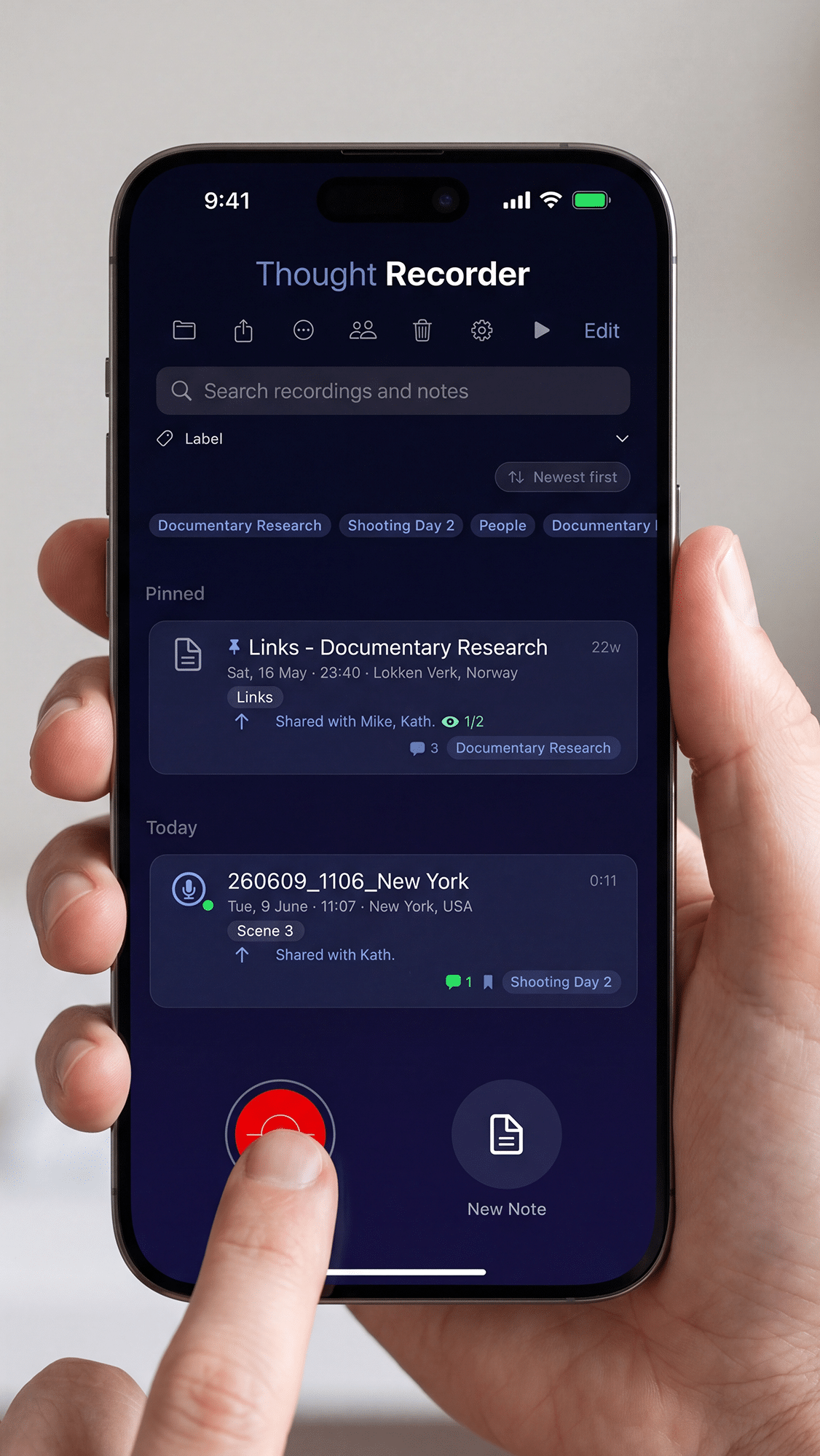
Think out loud. Skim it back in seconds.
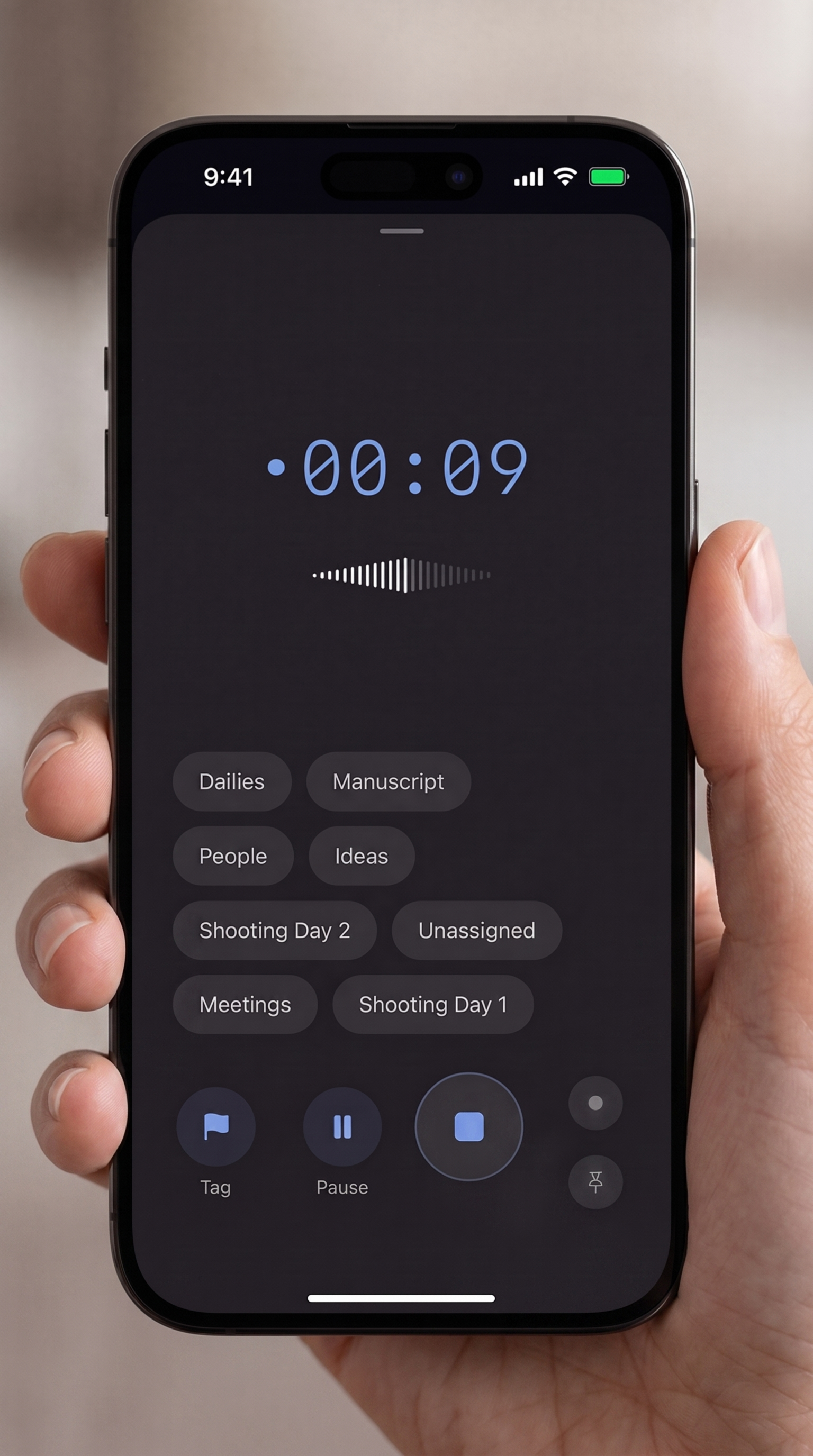
Tap to record, drop markers on the moments that matter, and scrub straight to them from the timeline. Speaker, Bluetooth, background — it just keeps up.
- Lossless .m4a, or broadcast-grade WAV BWF with embedded timecode — stored locally with on-device protection
- Waveform scrubber with marker ticks — tap a marker to jump straight to the moment
- Phone-call safe — recording pauses during a call, then picks back up automatically when it ends, so you don't lose the take
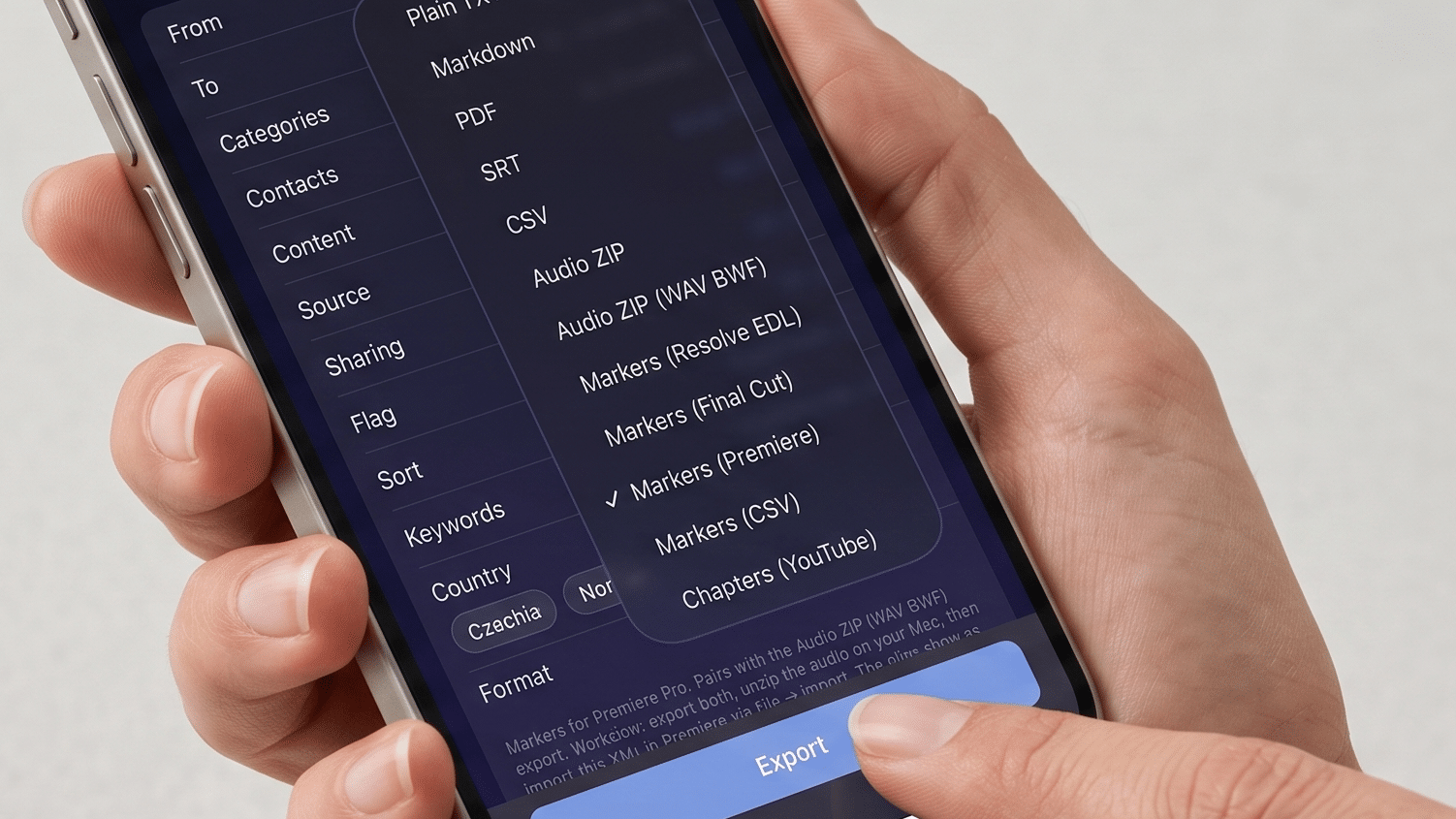
Import timecode-synced audio and markers straight into your timeline.
Never lose a key moment from a long shooting day. Record in WAV BWF and your iPhone behaves like a Sound Devices, Zoom, or Tascam field recorder — embedded time-of-day timecode the moment you hit record, Tentacle Sync-friendly, ready to drop alongside camera footage with everything aligned automatically.
- WAV BWF (48 kHz broadcast wave) with embedded TOD timecode — recognized natively by Premiere, Final Cut, DaVinci Resolve, and Tentacle Sync
- Marker timelines: XML Premiere reads natively, XML Final Cut reads natively, EDL for DaVinci Resolve. Markers land at wall-clock TOD with their labels and transcripts attached
- Audio ZIP (WAV BWF) converts older M4A recordings to broadcast WAV with TOD timecode — pairs with the Premiere export so a whole session batch-relinks in one click
- SRT transcripts for captions and paper edits
- Markers (CSV) for Markerbox, editingtools.io, Reaper, Logic, and Nuendo — the tools your editor already uses
- PDF and Markdown for client deliverables and archival
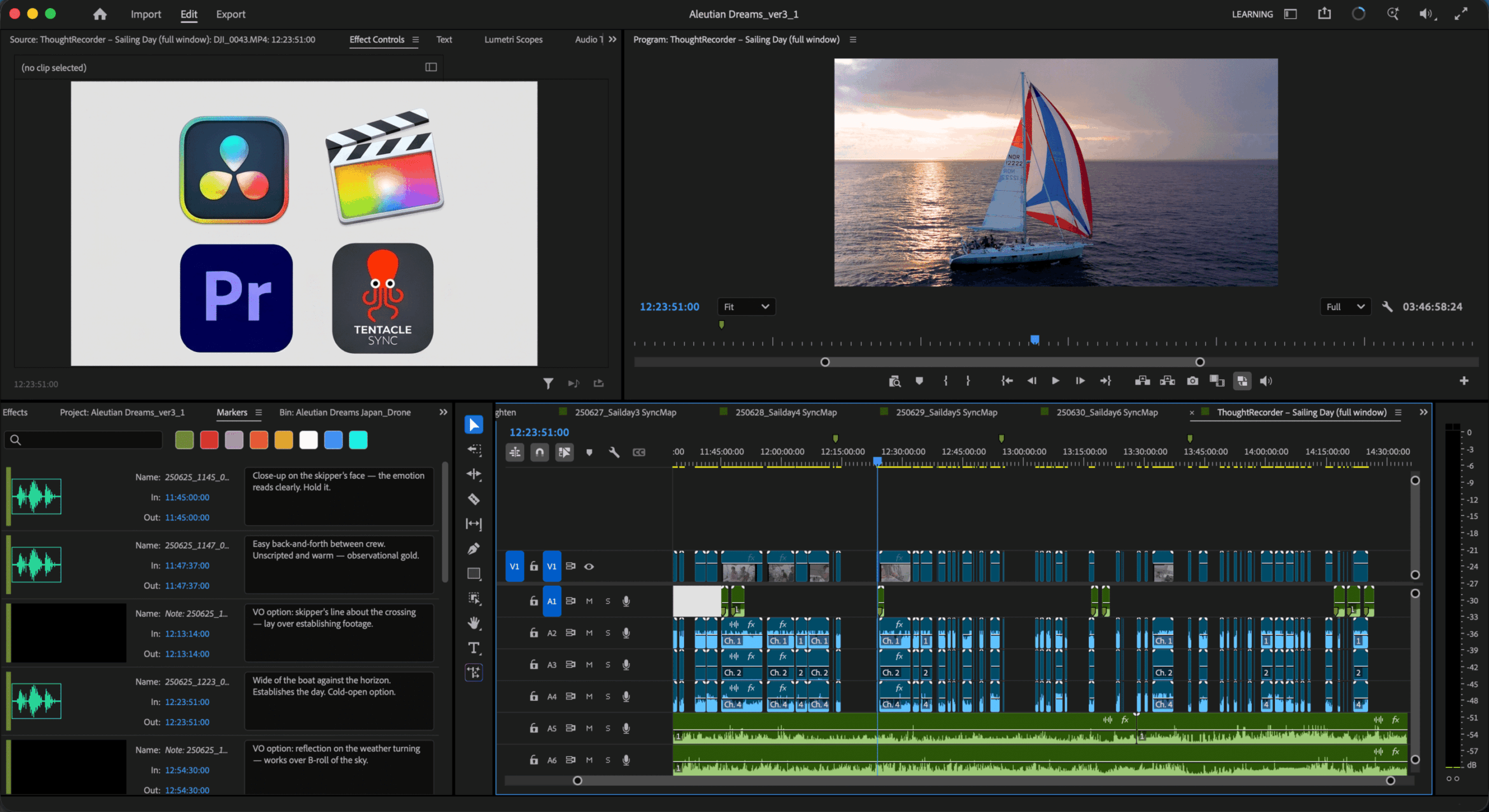
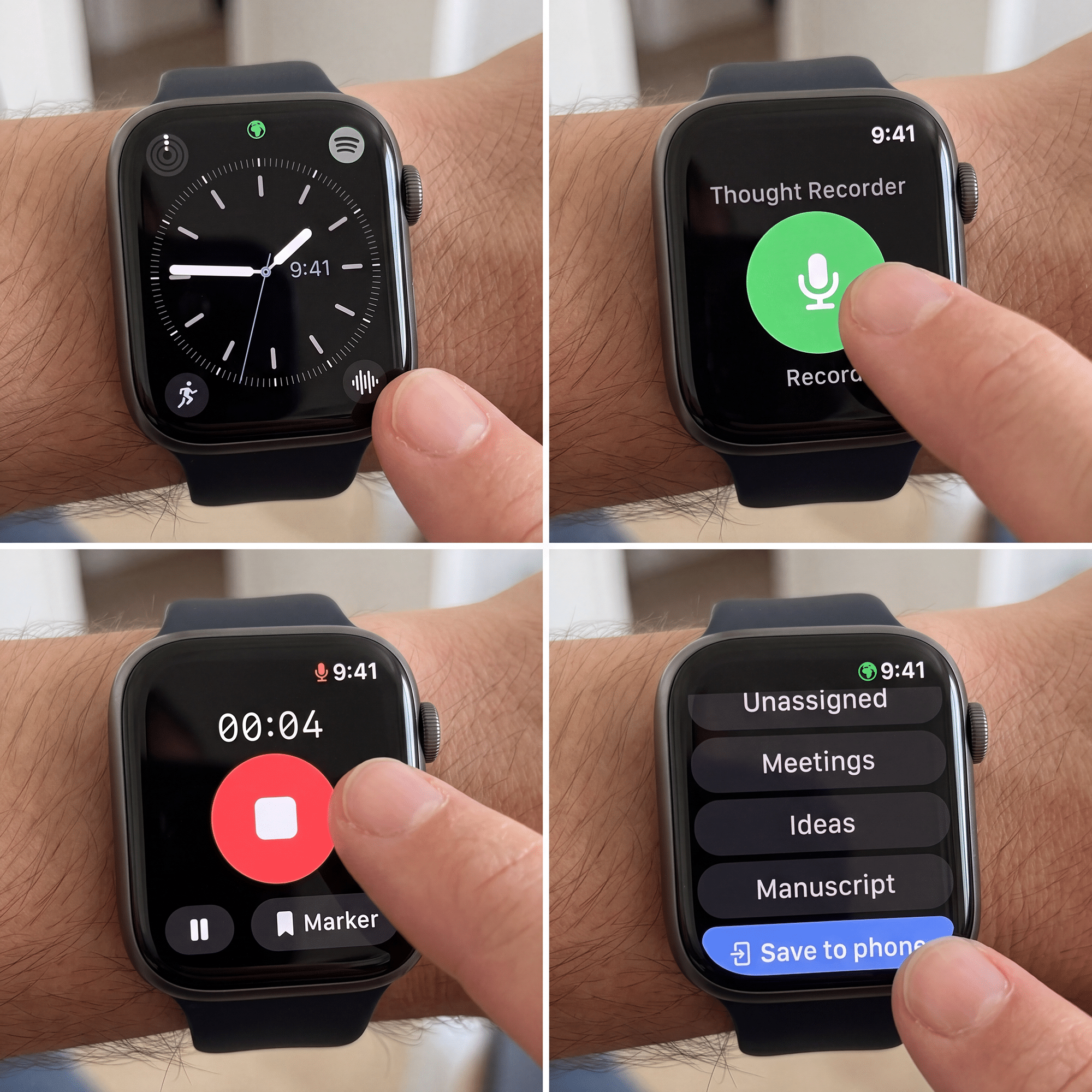
Watch, phone, or computer. Always in sync. No idea lost.
The gap between an idea and capturing it is where ideas die. So capture on whatever's nearest: your phone, your Mac, or one tap on your Apple Watch, which records standalone even when your phone's out of range. Everything syncs automatically, so the thought is saved before it slips away.
- Capture on iPhone, iPad, or Mac, or one tap on your Apple Watch (it records standalone when your phone's out of range)
- Everything syncs across your devices automatically, so you start on one and finish on another
- Drop markers as you record: a screen tap, or hands-free with the Apple Watch Double Tap (Series 9 / Ultra 2 and later)
- Watch complications keep recording one tap from any watch face
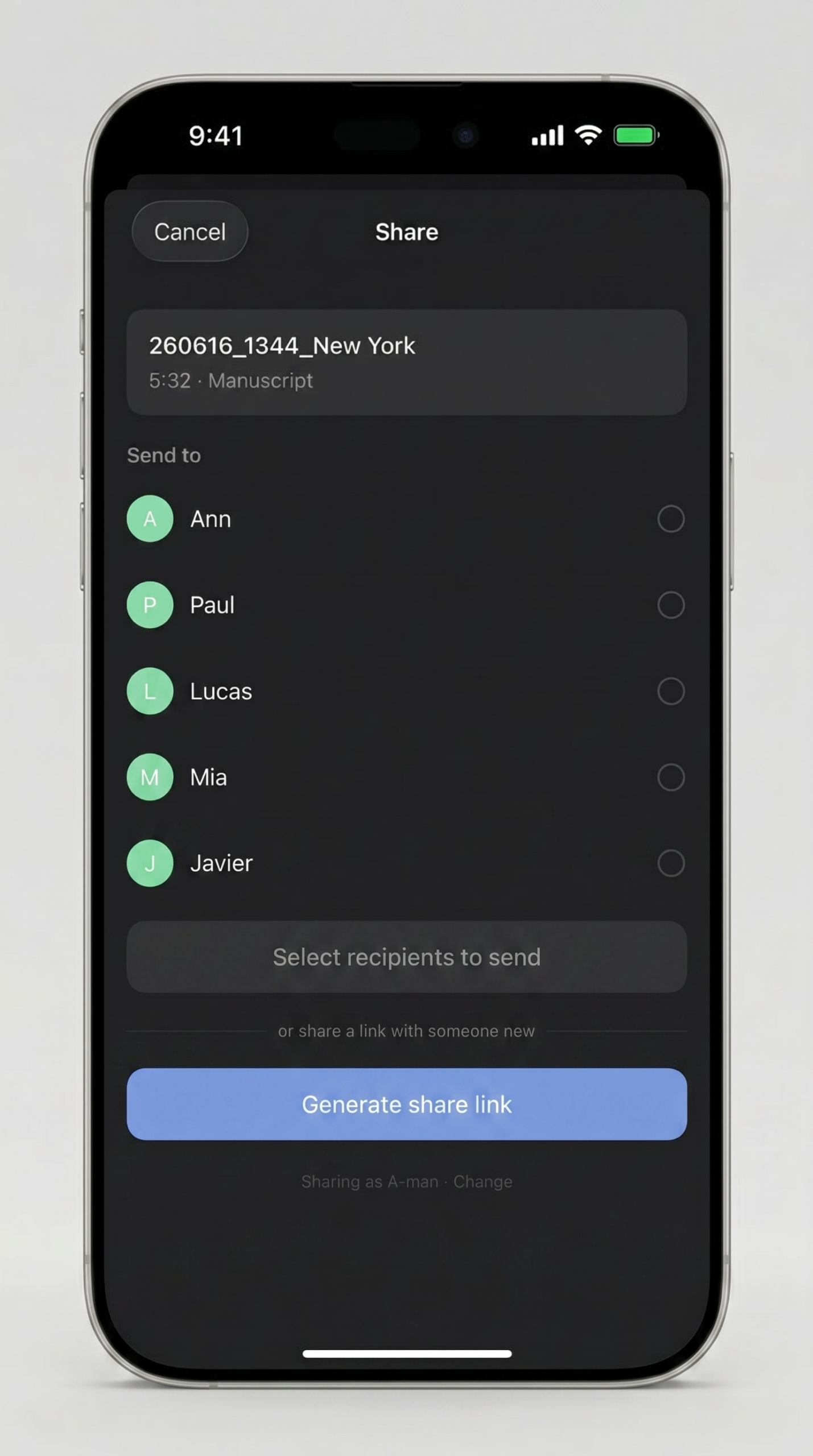
Categorize everything. Share with your whole team. Control every item.
Group recordings and notes into a project category, then bulk-share the items you choose with your director, your co-founder, your editor. Keep some recordings private, send the others — even in a multi-share, you decide item by item what each recipient sees. No Slack, no email chains, no third-party platform that owns your work.
- Bulk-share many items from a category in two taps — pick which items go, leave the rest private
- Each shared item is its own record on the recipient's device, so per-item view receipts and comment threads work the same as a single share
- Threaded comments arrive as silent push, not inbox noise
- Comment threads travel with the item on export — every shared discussion becomes part of the RTF, PDF, or Markdown deliverable
- Add or remove collaborators on individual items at any time
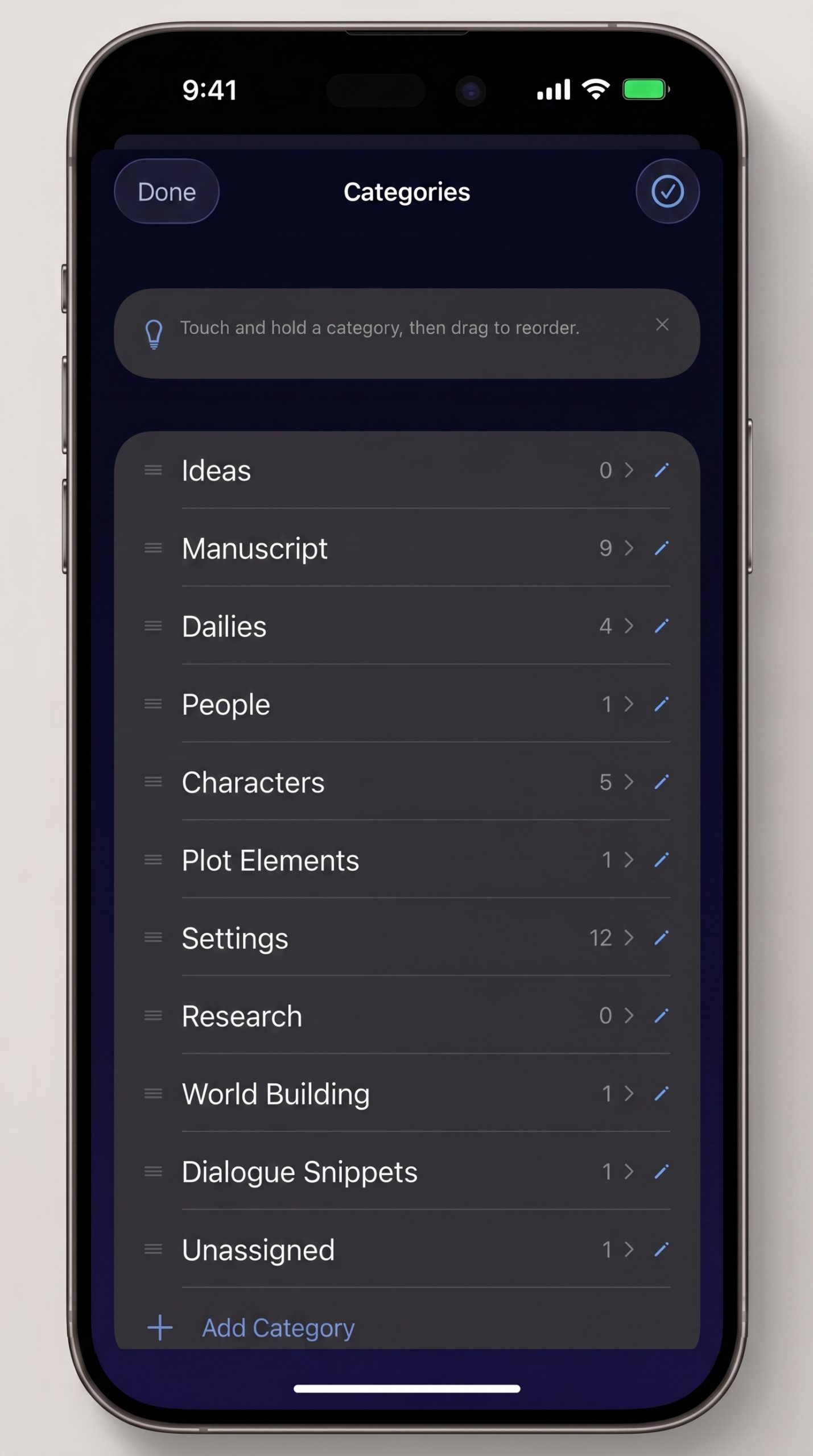
The same home for everything you can't afford to forget.
Type a note, tag it, give it a location. Recordings and notes live in one feed sorted by what you touched last — never two apps, never two places to search.
- Categories you create, ordered the way you want
- Optional location tagging — never required, never blocking
- Markdown export with YAML frontmatter — drops cleanly into Obsidian, Bear, iA Writer, or Notion as ready-filed notes with date, location, category, and keywords pre-set
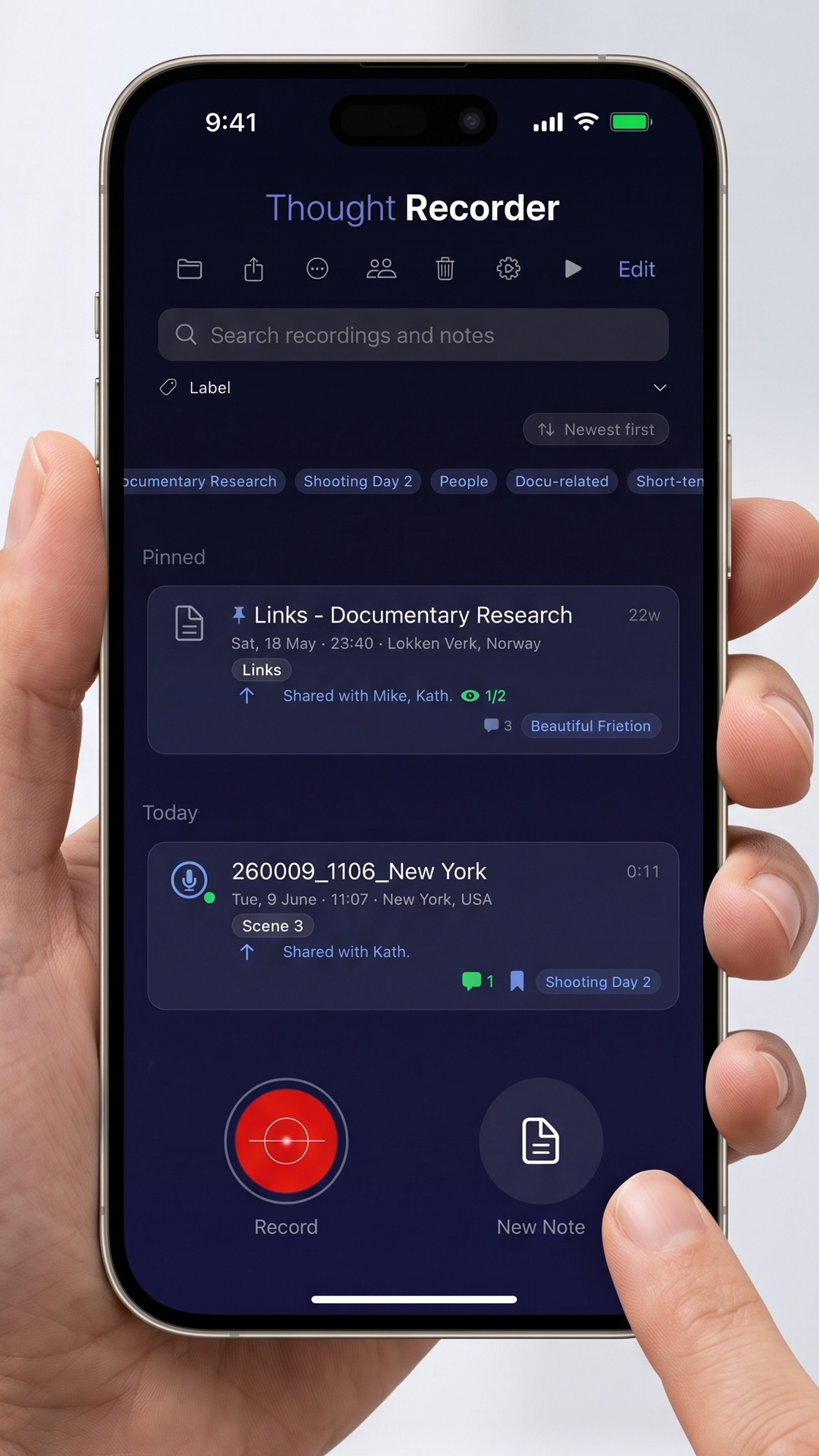
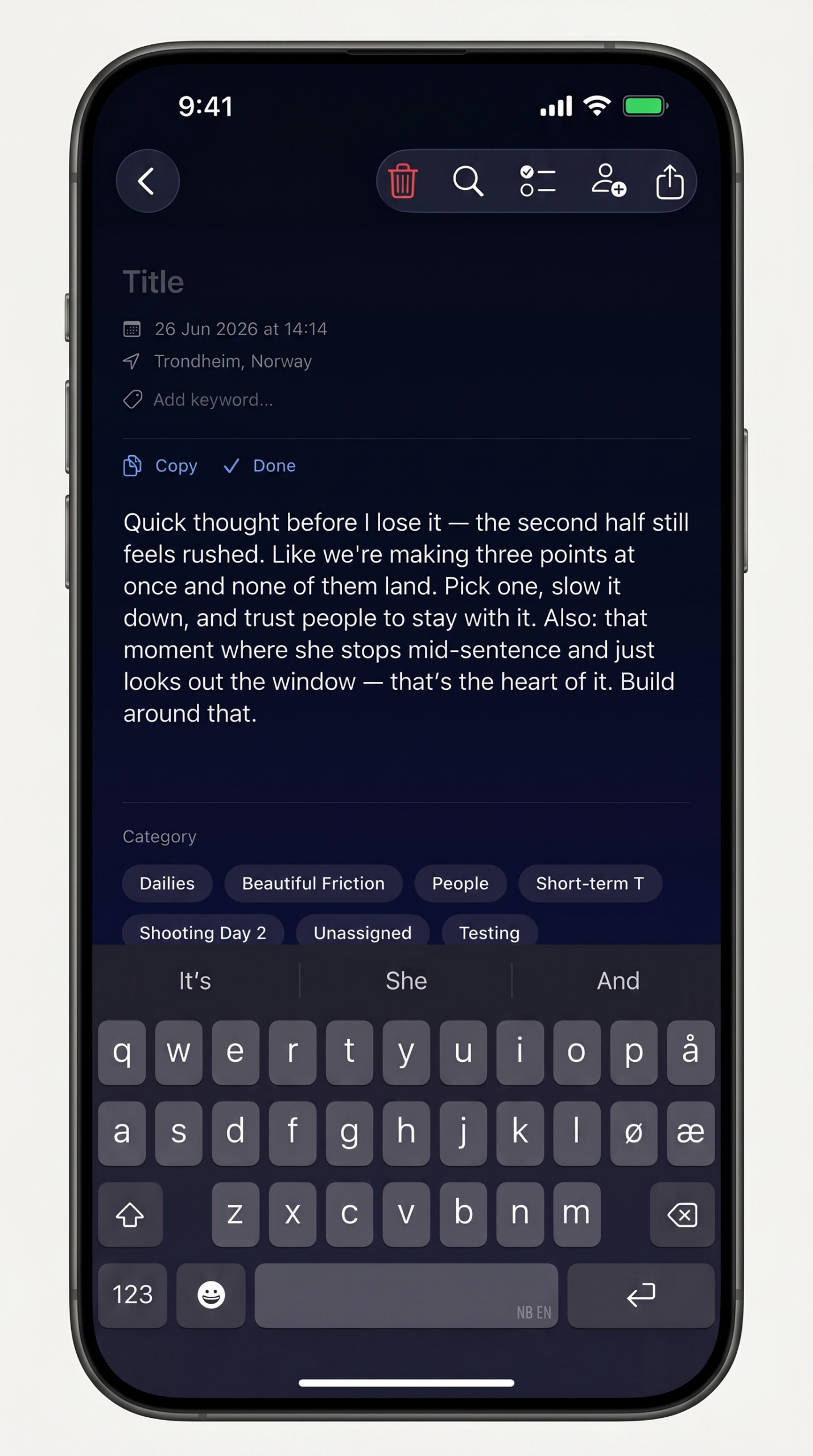
Every word, transcribed — private by default.
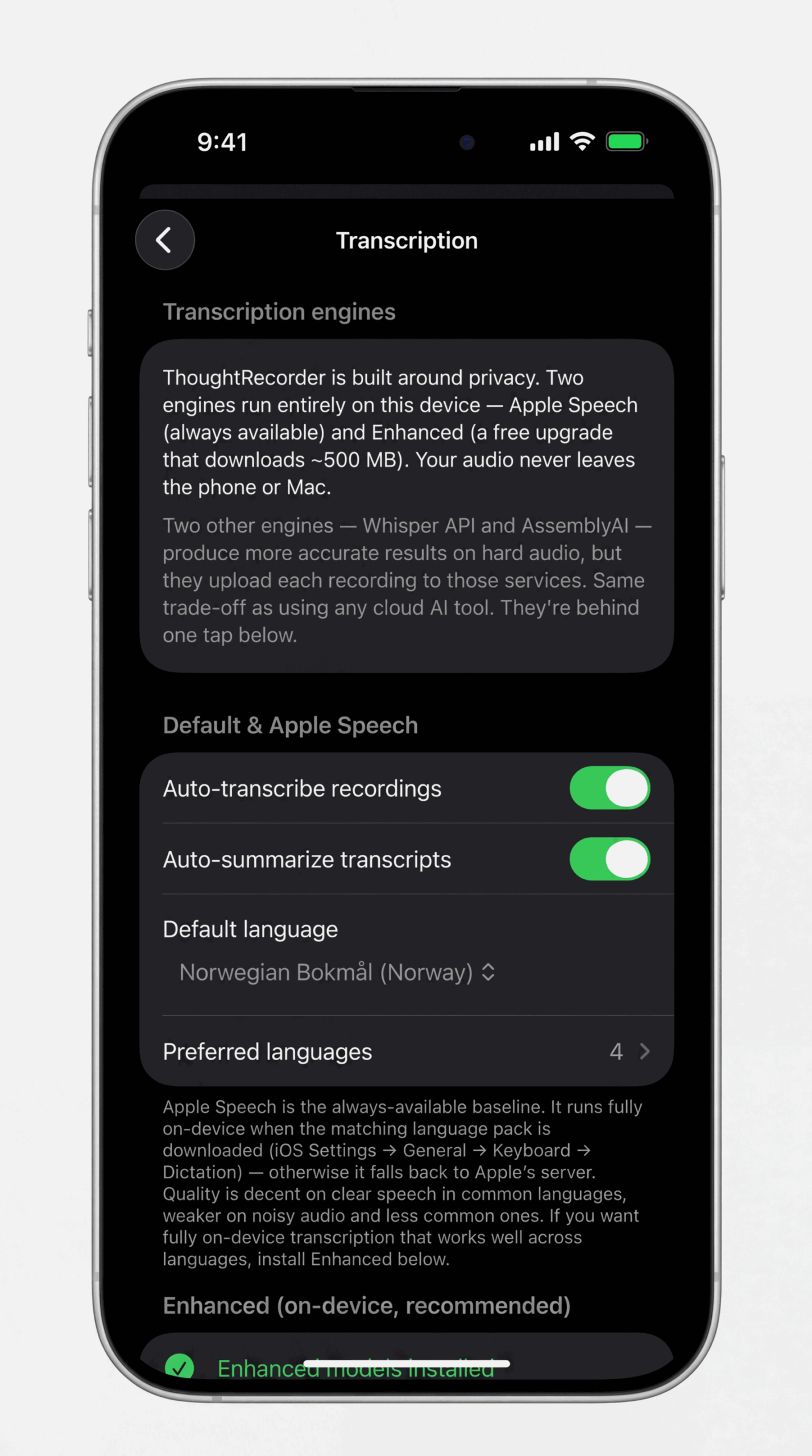
Recordings transcribe automatically in the background, into searchable text and a one-paragraph summary. The free Enhanced engine runs entirely on your device — nothing uploaded, speakers labelled, offline forever. Need maximum accuracy on a particular file? Route just that one through a cloud engine under your own key. Compare the four:
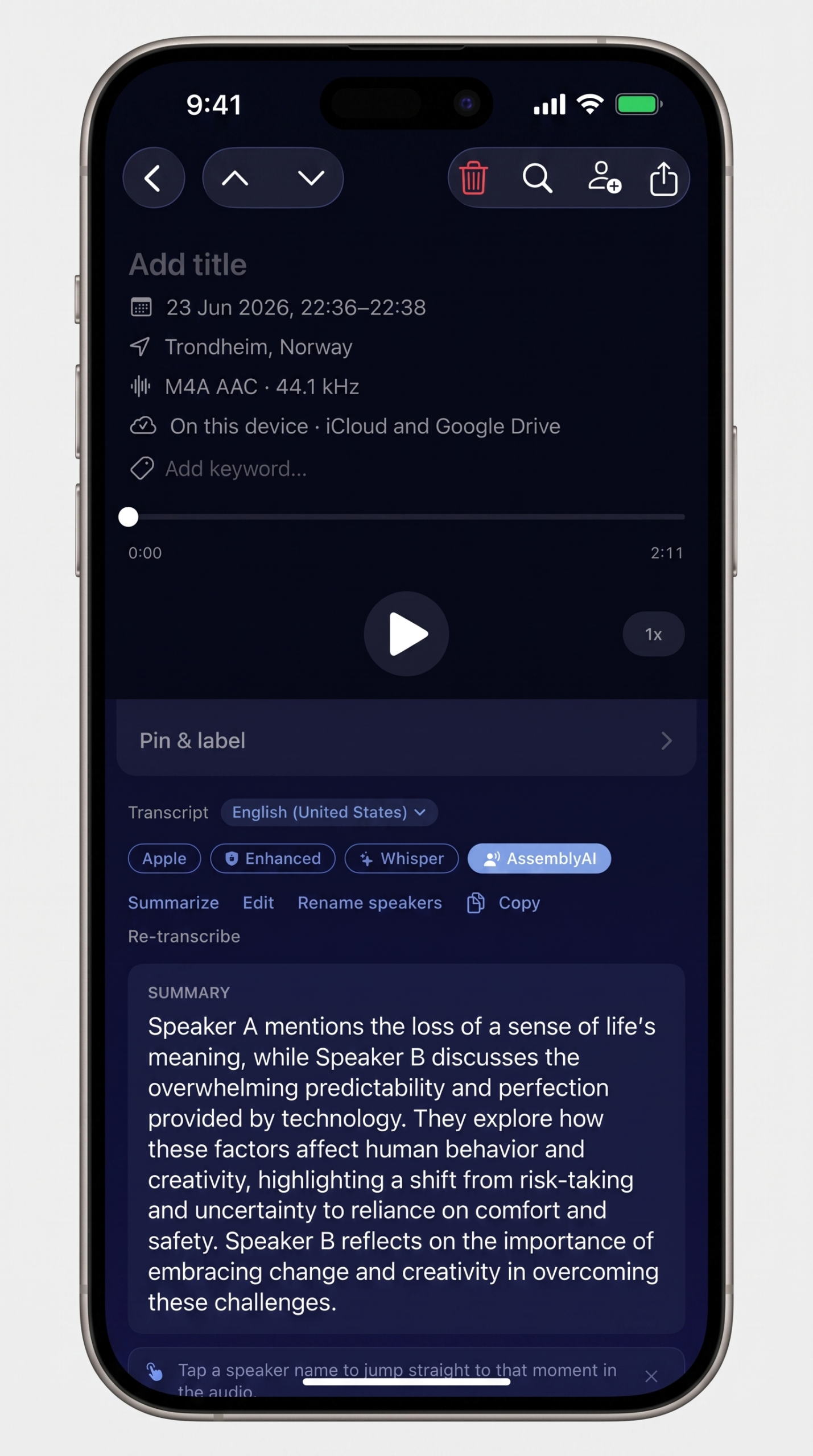
- Know who said what. Speaker labels appear automatically in interviews, meetings, panels and podcasts. Rename "Speaker A" to "Alice" once and it flows through every export — RTF, Markdown, PDF, TXT, SRT. Tap a name to jump the audio to that turn.
- Summaries and full-text search. A one-paragraph on-device summary on every recording lets you skim a 40-minute file in seconds — plus search across every recording, note, and transcript.
- Switch per recording. Re-transcribe any file with a different engine from the detail view — start free and on-device, reach for the cloud only when one file needs it.
| Engine | Where audio is processed | Speaker labels | Accuracy | Cost |
|---|---|---|---|---|
| Apple Speech | On-device or Apple’s servers (varies by language) | No | Decent on clear speech | Free |
| Enhanced | On-device, always | Yes | Strong, esp. non-English & noisy audio | Free (~500 MB download) |
| OpenAI Whisper API | OpenAI’s servers (cloud) | No | Best | ~$0.36/hr, your OpenAI account |
| AssemblyAI | AssemblyAI’s servers (cloud) | Yes, best-in-class | Best speaker separation | ~$0.65/hr, your AssemblyAI account |
Pick the engine per recording. The default is yours to set.
From recording to YouTube description in 10 seconds.
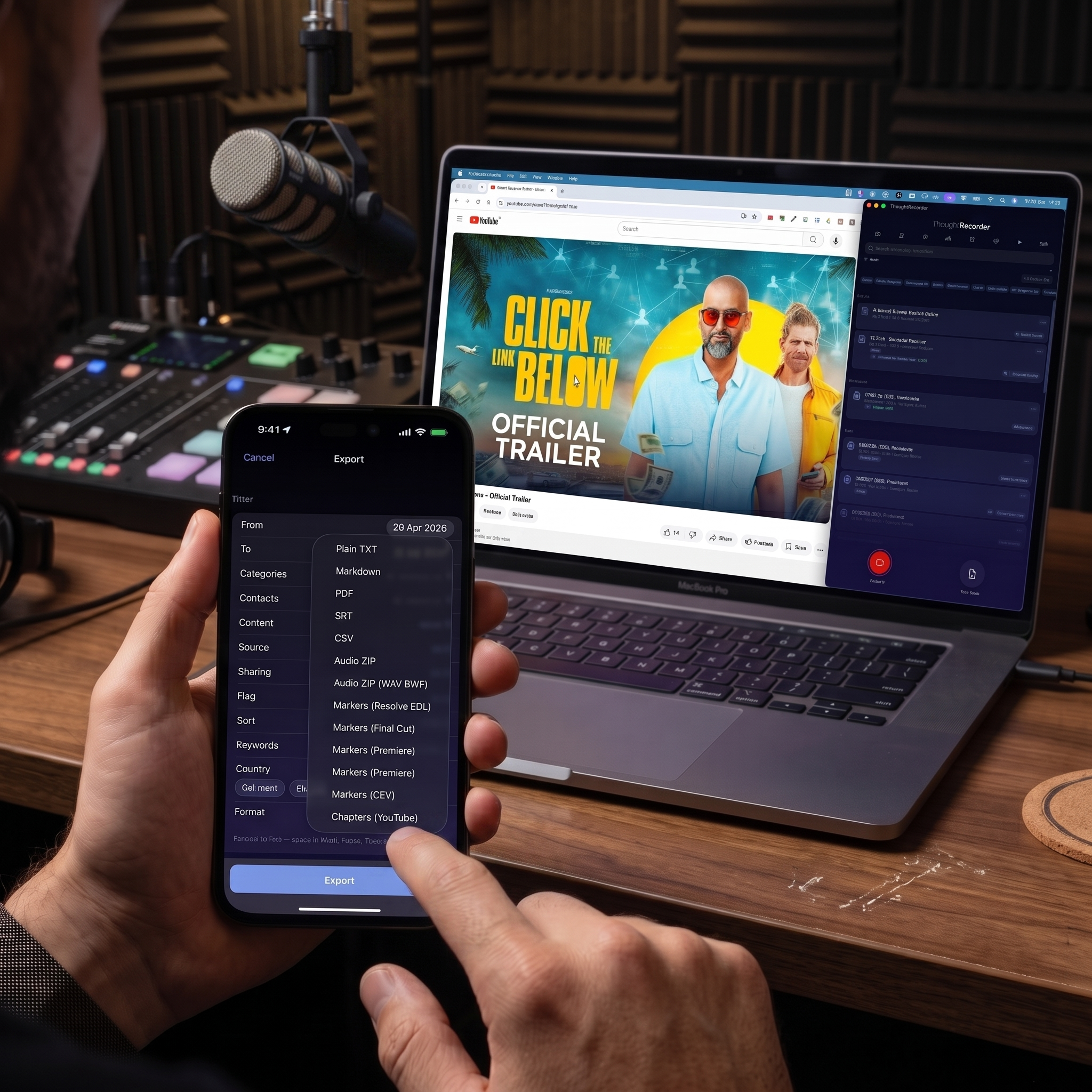
Tap markers as you record. Export Chapters (YouTube) and paste straight into your YouTube video description — YouTube auto-builds the chapter navigation bar. For podcast hosts like Transistor and Buzzsprout, paste into their chapter editor field (separate from show notes). Apple Podcasts and Spotify chapters require your podcast host to embed them into the audio file — check whether your host supports chapter import from a pasted timestamp list.
- YouTube chapter format (MM:SS Title) — paste directly into a video description, navigation bar appears automatically
- Same export works for podcast hosts with a chapter-import field — e.g. Transistor and Buzzsprout (Apple Podcasts and Spotify chapters depend on your host embedding them)
- Mark during recording, when the moment is fresh — saves 20 minutes of post-production timestamp work per video
- Markers also appear in the Markdown, PDF, and Plain TXT exports — useful for show notes, blog posts, and newsletter recaps built from the same recording
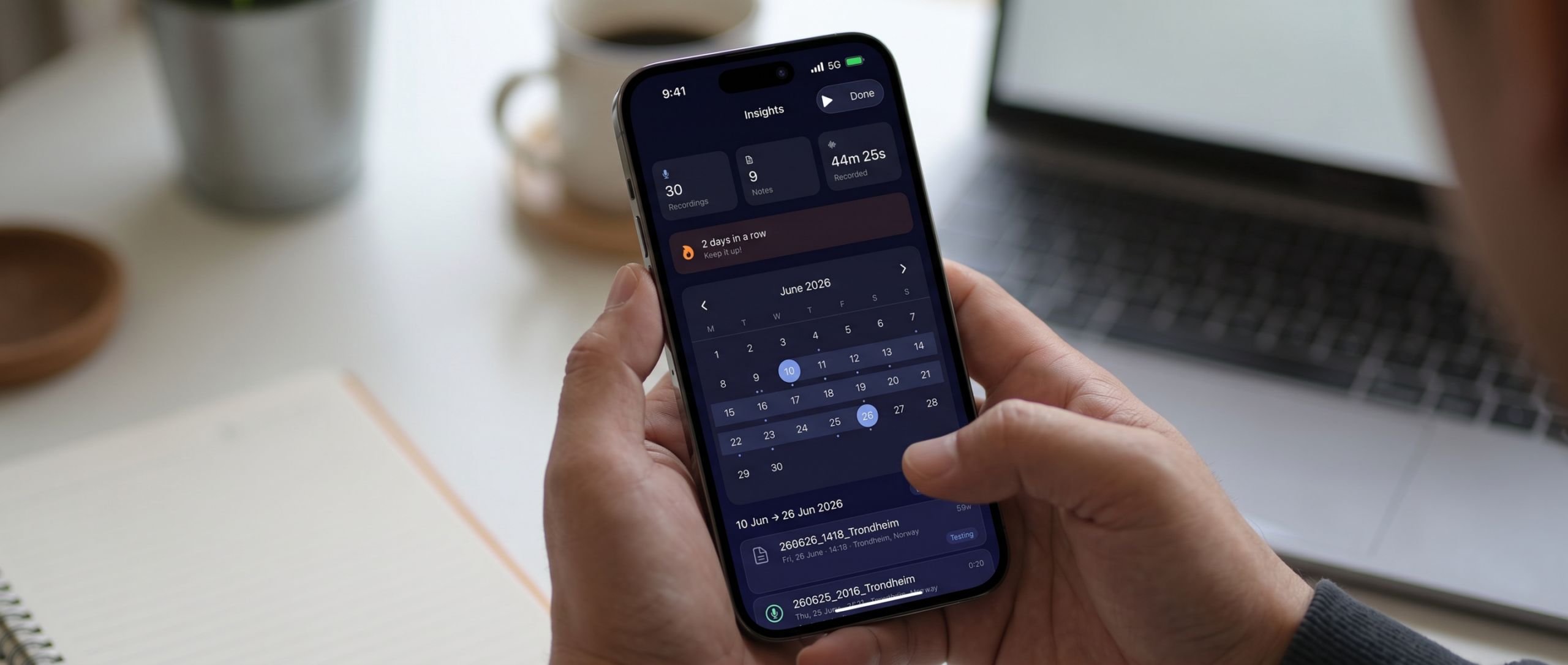
Every recording on a calendar. Find any moment fast.
Your sessions laid out by date, with totals up top: how many recordings and how much time. Tap any day to jump straight to what you captured, by when and where.
Record on your phone. Capture on your wrist. Refine on your Mac.
Your recordings and notes follow you across iPhone, Mac, and Apple Watch via your personal iCloud account — no servers of ours in the loop, no accounts to manage.
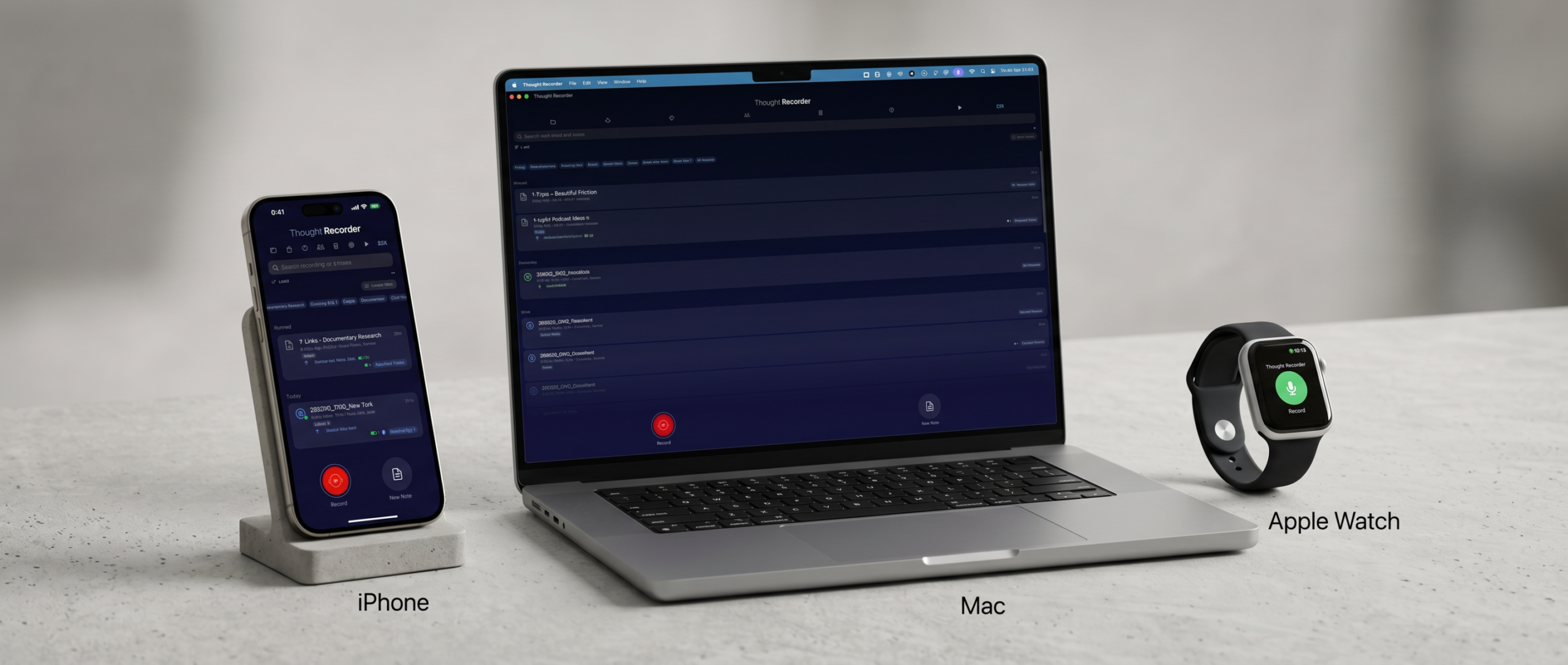
Capture anywhere. Refine on your Mac. Yours forever.
Free to install. No account. No upload.
What's said in here, stays in here.
No analytics
Zero telemetry. We don't know when you record or what you said.
No third-party SDKs
Pure Apple frameworks. Nothing phones home.
Your cloud, your choice
Sync via iCloud, or back up to your own Google Drive folder. Either way the data lives in your account — not ours.
On-device protection
Files are encrypted until you unlock the phone.
Three taps from idea to filed.
-
01
Capture from anywhere.
One tap from the watch face or the home screen. Drop a marker the moment you hear something worth keeping.
-
02
File it into a project.
Tag it with a category. Add a title or a location. Everything lives in one searchable feed.
-
03
Share it. Or ship it.
Send selected items to your team for comments, or drop the audio, transcripts, and markers straight into your edit — Premiere, Final Cut, or DaVinci Resolve, your choice.
Free during launch — free for life.
Install Thought Recorder now during the free launch window and it stays free for you, forever. A paid tier is coming for later installs, but early users are locked in at no cost.
- ✓ Unlimited recordings, transcripts & notes
- ✓ On-device transcription
- ✓ Timeline-ready exports for film & podcast
- ✓ Categories to organize your way
- ✓ Private sharing with in-app comments
- ✓ iPhone, Mac & Apple Watch
- ✓ Your data stays on your device & iCloud
Questions worth answering.
Where is my data stored?
On your device, and in your personal iCloud. Nowhere else. We have no server that holds your recordings.
Does it work without iCloud?
Yes. Everything works locally. iCloud only kicks in if you turn it on, and is used solely to sync your own devices and to send shares to collaborators.
Can I back up outside iCloud?
Yes. You can connect your own Google Drive in Settings, and Thought Recorder will back up to a "Thought Recorder Backup" folder in your Drive. The OAuth connection is between your phone and Google directly — we never see your files or your account.
Can I export my recordings?
Yes — recordings export as .m4a or WAV BWF (broadcast wave with embedded time-of-day timecode, Tentacle Sync-friendly). Marker timelines drop directly into Premiere, Final Cut, and DaVinci Resolve — markers land at wall-clock TOD with labels and transcripts attached. SRT captions for paper edits, Markers (CSV) for Markerbox, editingtools.io, Reaper, Logic, or Nuendo, Chapters (YouTube) for video and podcast descriptions, Markdown with YAML frontmatter for Obsidian or Notion, and PDF for clients.
I'm a YouTuber or podcaster — does this help me?
Yes. Tap markers during your recording when something quotable happens. After publishing, export Chapters (YouTube) and paste into your video description or your podcast host's chapter field — YouTube auto-builds the chapter bar; podcast hosts that support chapter import (e.g. Transistor, Buzzsprout) build the navigable list — Apple Podcasts and Spotify need your host to embed chapters into the audio file. No scrubbing back through your own video to write timestamps.
Does it work with Obsidian, Bear, Notion, or iA Writer?
Yes. The Markdown export ships with YAML frontmatter (date, location, category, keywords) so every imported note carries its metadata and your vault auto-tags, auto-categorizes, and auto-links cleanly. No reformatting after import.
How does transcription work? Where does my voice go?
By default, transcription runs entirely on your device using Apple's Speech framework — your voice never leaves your phone. For higher accuracy you can plug in your own OpenAI Whisper key (setup guide). For speaker-labeled transcripts (interviews, meetings, podcasts), plug in your own AssemblyAI key (setup guide). All three engines are selectable per recording. With Whisper or AssemblyAI the file is sent directly from your phone to the provider under your account; we never see or store your audio or transcripts.
Does it know who's talking in a multi-person recording?
Yes, when you use the AssemblyAI engine. Every turn in the transcript gets labeled — “Speaker A”, “Speaker B” by default. Tap a speaker name in the transcript and the audio playhead jumps to that moment. Rename “Speaker A” to “Alice” once and the name flows through every export (RTF, Markdown, PDF, plain TXT, SRT).
Can I tell AssemblyAI how many speakers to expect?
Yes — when you tap the AssemblyAI pill on a recording, you pick the expected speaker count (Auto / 2 / 3 / 4 / 5 / 6) before the transcription runs. Helps when voices sound similar or the recording is short. Pick Auto if you're not sure.
What devices is it on?
iPhone, Apple Watch, and Mac. On Apple Silicon Macs the app runs right from the App Store, so your recordings are on the desktop too.
Is there a subscription?
Free during launch, free for life. Install now to lock in permanent free access — a paid tier is planned for later installs.
Stop losing your best ideas to the moment they happened in.
Made by Gonzodocs. iPhone and Apple Watch.